Overview screen
On the overview screen - most often on huge devices, sizes over 50" - are presented the meeting rooms' location, direction as well as the meeting room statuses. The progress is tracked in real time.
A meeting room can be attached to several overview screens and every overview screen can have its own list of meeting rooms with relative location directions, depending of the position.
All meeting rooms can be displayed and tracked on an overview-screen device either in the Classic mode or on the map image.
Firmware upgrades, software upgrades, fire alarms and the centralized configuration are done via the Admin App.
It was never easier to find a meeting room.
In Classic mode, up to 10 meeting rooms are displayed on one page. If more rooms resources are configured a pager will iterate the pages.
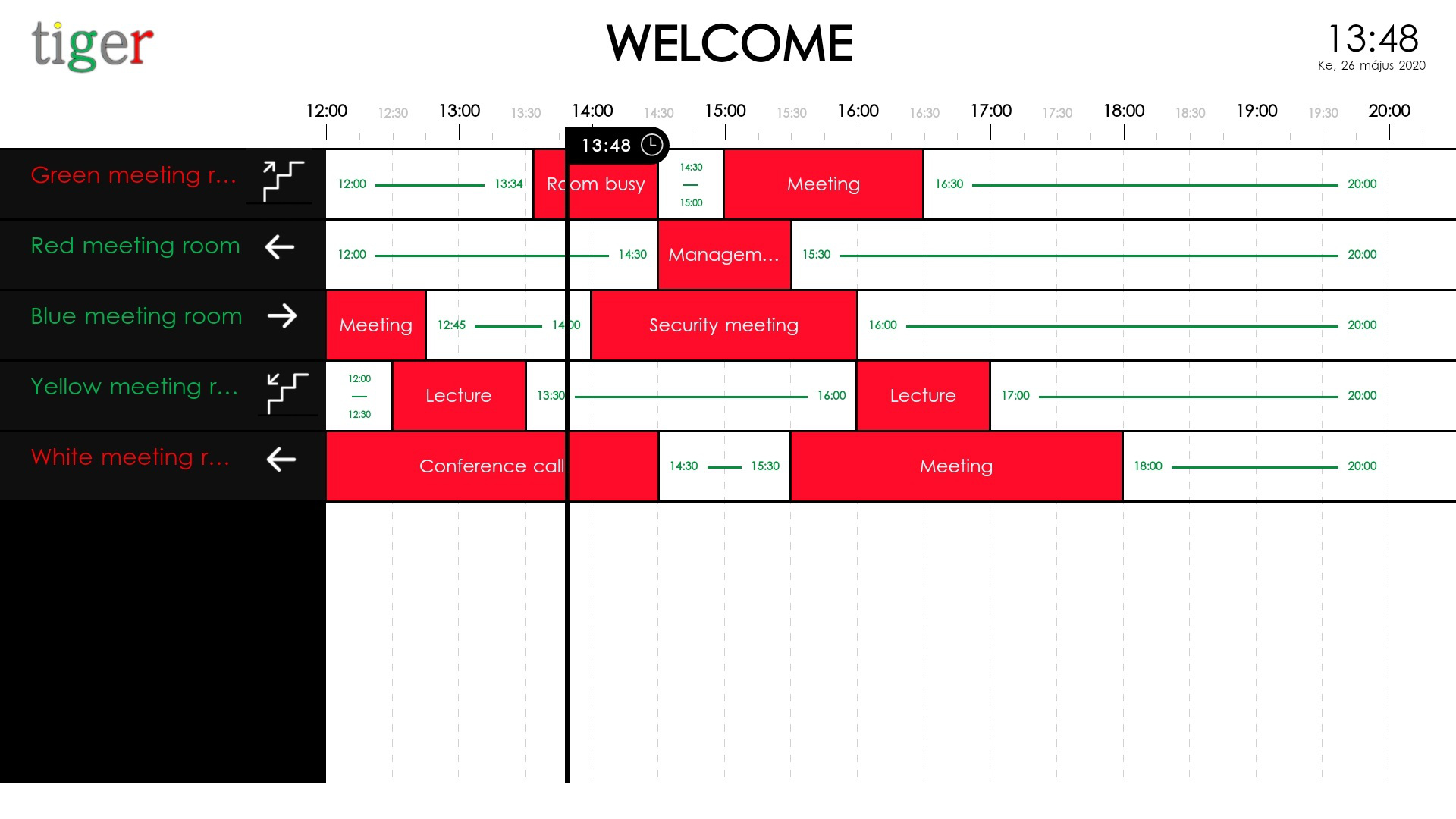
The overview screen functionality does not require anything special but an Android screen with diameter bigger than 16 inches.
It works happily on a simple, non touch screens as well with an Android TV stick - like the Xiaomi Mi TV Stick, Amazon FireTV stick and similar Android products that can be plugged in any "dumb", non-Android screen device of your choice.
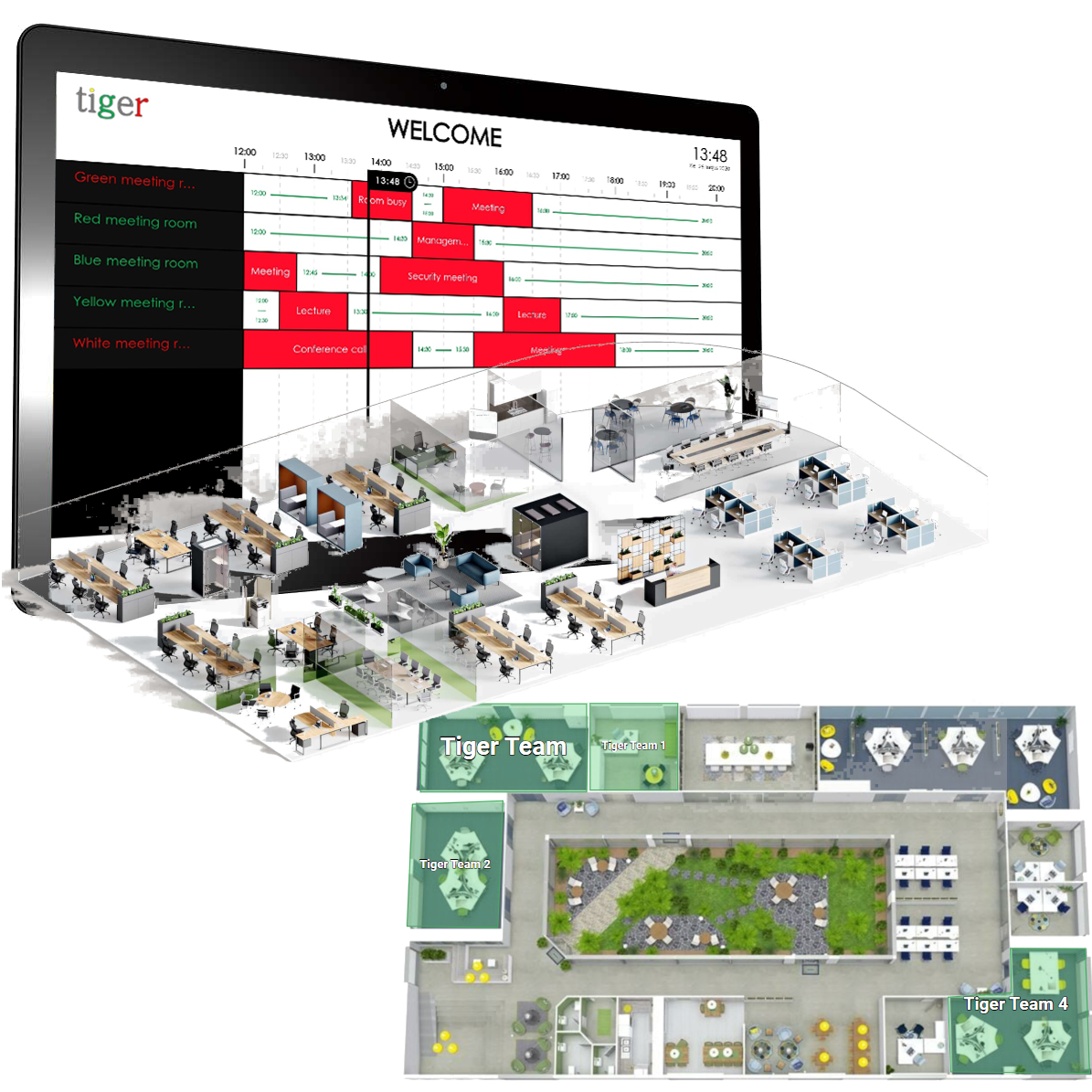
Map mode allows drawing meeting room polygons on any 2D or 3D map that resembles the office as your employes use to see - showing the meeting room, desk or any office space occupancy in real time.
Easily mix Classic mode and Map overview screens across the office or school corridors choosing the best fit and purpose for the space - as every overview screen can be configured individually.
